Help Center Video vs. Screenshot Article Decision Framework
Format choice depends on whether readers need to recognize a state or follow a sequence.

They're stuck because the article described a sequence of clicks in sentences, and sentences are a clumsy container for "click here, then here, then watch this dropdown change. That gap between word and action is where most self-serve attempts die and most tickets get born.
Teams tend to treat video versus screenshots as a style choice, something close to picking a font, but it isn't. The format of a help article decides whether a customer solves their own problem or opens a ticket, and good writing can't fix a format mismatch. Text with screenshots is the easiest thing to produce and the easiest to keep current, but it's weak at showing a sequence of UI interactions. Video is the opposite: strong on sequence, expensive to maintain the moment the product changes underneath it. Every help center is running both trade-offs at once, usually without naming them.
Helpjuice's guide to help center best practices states the underlying logic: visuals and multimedia should replace text where they communicate faster, not just sit alongside it. That's a substitution decision, not an additive one. Adding a screenshot to a paragraph that already explains everything makes the page longer without making it clearer, while replacing the paragraph with the screenshot actually solves something.
There's a second reader now making this decision even harder. Help centers in 2026 serve two audiences at once: the human scanning the page for the fastest answer, and the AI agent fetching that answer on the human's behalf. Those two readers want different things from the same article, and a format that satisfies one can quietly fail the other. The rest of this piece works through how to choose correctly for both.
The two questions that determine which format wins before any content is written
Before thinking about maintenance costs or production time, one question sorts most help articles cleanly: is the reader trying to recognize a state, or follow a sequence?
A state-to-recognize question looks like "what does this setting mean," "does this condition apply to me," or "what does this error code indicate." These are discrete. They have a single correct snapshot that answers them. A screenshot with a callout arrow and a short caption answers a state question instantly, and it leaves the reader with something they can glance back at later.
A sequence-to-follow question looks different. "How do I configure this workflow," "how do I complete this multi-step setup," "how do I get from this screen to that one." These require the reader to understand what happens between states, not just what each state looks like on its own. A static image can't show motion. Words can describe motion, but the reader has to translate those words into actual clicks, and that translation step is exactly where people give up and reach for the support button instead.
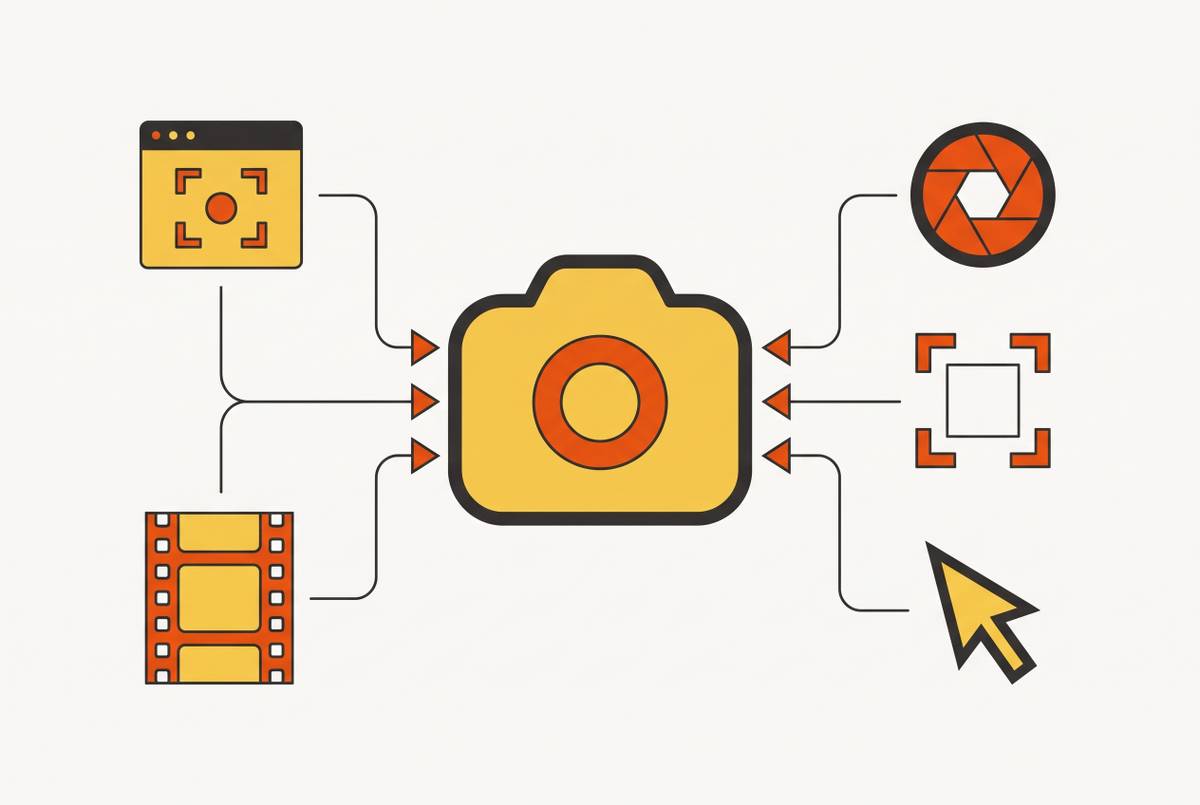
The GIF sits in the middle of this spectrum, and it's a genuinely useful middle, not a compromise. For pointing at one button or one field, an annotated screenshot does the job. For showing three or four quick actions without the weight of a full video, a GIF covers it without requiring a production process. The choice between screenshot, GIF, and video is a dial, and the content decides where it lands.
Someone might object that good writing can explain any sequence, no matter how many steps it has. Good writing can describe a sequence, sure. But description still asks the reader to convert sentences into interface actions in their head, and that conversion is unreliable at scale. The format should carry that translation work itself, instead of handing it to the reader and hoping they get it right.
Release cadence and video's maintenance liability
Even when video is clearly the right format for a piece of content, a fast-moving product can turn that video into a liability instead of an asset.
A renamed button, a moved menu, or a revised workflow can make an existing video actively misleading, even if the large majority of the recording is still accurate, and viewers follow what's on screen in front of them, not what the product has quietly become since the video was recorded. A single wrong click in a demo is enough to send a viewer down the wrong path, and they have no way of knowing the video is stale until they're already lost.
Velo's comparison of help center video platforms names this constraint directly: a two-week sprint cycle needs a production process that doesn't take longer than the cycle itself, or help content permanently lags behind the product. That's the whole problem in one sentence. If it takes three weeks to re-shoot, edit, and publish an updated video, and the product ships changes every two weeks, the help center is mathematically guaranteed to fall behind. Video's biggest weakness is that the asset decays the moment the UI underneath it moves, and re-recording takes real time that screenshot swaps don't.
Screenshot articles have their own fragility, to be fair. Inconsistent framing, a full browser window in one image and a tight crop in the next, makes an article feel sloppy and disorients readers who are trying to match what they see to what's in front of them. But fixing that is a five-minute job: swap one image, done. Fixing a video means re-recording, re-editing, and re-exporting, even if only one screen in a ten-minute walkthrough changed.
That asymmetry points to a practical triage rule. High-traffic, stable topics (the login flow nobody has touched in two years, the core setup wizard) are strong video candidates, because the production cost gets paid back many times over before anything changes. High-traffic topics that get revised constantly are better served by text and screenshots, no matter how sequential the underlying task is. The task might scream "video," but the release calendar says otherwise.
For teams that can't realistically maintain two separate libraries of content, going modular helps contain the damage. Short, single-task videos, rather than one sprawling walkthrough covering an entire feature, mean a product change only knocks out the clip that covers it, not the whole series. For sequences that genuinely need motion to make sense, tools like Tella combine recording, editing, and hosting in a single interface, which removes a lot of the friction that pushes teams toward screenshots by default even when a video would actually serve the reader better.
AI agents as a third variable in the format decision
A video without a paired transcript now carries a double penalty. Search engines index it poorly, and the AI agents that a growing share of users now send out to fetch answers on their behalf struggle to parse it. The video might be perfectly clear to a human watching it. To an agent scanning for text, it may as well not exist.
This changes what "machine-readable" means for a format decision. A screenshot article with clean headings and numbered steps is readable by an agent out of the box, no extra work required. A video is not, full stop, unless someone adds the text layer deliberately. That makes the transcript, or the written equivalent, non-optional for any content that needs to serve AI-mediated queries, which by 2026 is most help content a team cares about ranking for.
None of this means video should be avoided. It means every video now needs a text equivalent living next to it. That shifts the real cost comparison: the decision is whether the team has the capacity to maintain both video and text, for a given topic, at the pace the product changes.
The decision matrix: mapping content type, change frequency, and machine-readability to a format choice
Cross the three variables covered so far (what kind of answer it is, how often it changes, and whether it needs to be machine-readable) and the format choice mostly stops being a judgment call.
Conceptual content, things like policies, definitions, FAQs, and single-step answers, calls for text only. There's no sequence to show, change frequency can be high in categories like pricing or legal terms, and plain text is already fully readable by both humans and agents.
Sequential, UI-driven content on a stable workflow calls for video (or a GIF, for shorter sequences), paired with a text equivalent. The sequence genuinely needs motion to make sense, the stability of the workflow means the production cost gets recovered over time instead of wasted, and the text layer handles search visibility and AI agents.
Sequential, UI-driven content on a workflow that gets revised often calls for annotated screenshots with numbered steps. This format gives the spatial orientation that plain text lacks, but every frame can be swapped on its own without a full re-record, and the whole thing stays machine-readable throughout.
A high-traffic topic with a documented pattern of readers getting confused and still contacting support after reading the article is a strong signal to add video, regardless of what the content type technically calls for. Ticket data and re-contact rates after article views are more reliable triggers here than editorial instinct, because they measure what actually happened.
Helpjuice's best practices guide lays out the format tiers for this matrix: static screenshots, GIFs for short sequences of actions, and video for longer walkthroughs or anything that benefits from narration. That's a progression, not a menu of equals, and matching the tier to the content keeps teams from defaulting to whichever format is most familiar.
One objection comes up constantly: why not just do both, every time, and call it hybrid content? Hybrid does work, but it doubles the maintenance burden without necessarily doubling the value a reader gets from it. For a fast-moving product, that's a capacity question before it's an editorial one. The matrix exists to show where hybrid earns its cost and where a single format does the job just as well for a fraction of the upkeep.
Producing and maintaining help videos without a full production cycle
Video's maintenance cost is solvable, but only if a team builds for updateability from day one instead of treating every video as a finished, untouchable artifact.
Going modular is the first lever. A library of short, single-task clips means a product change forces a re-record of the one clip it actually affects, not the twelve-minute walkthrough that happened to include that one screen somewhere in the middle. It also makes the library easier to search, for both humans and agents, since each clip maps to one specific question.
AI-assisted production closes the other gap: the one between having a screen recording and having a publishable article with a text layer attached to it. Tools that generate a structured, step-by-step article, numbered steps, embedded screenshots, captions, directly from a single screen recording remove the old argument against hybrid content, which was that it meant doing the work twice.
Tella handles that whole workflow inside one tool: record the screen, trim it, add captions, generate a transcript, and share it, without bouncing between separate apps for each step. That app-switching is usually the real friction point, the thing that turns a perfectly reasonable production plan into a backlog nobody gets to. Teams at JCDecaux, Pleo, and Hubstaff use it for product demos, onboarding material, and async updates between teams. Paid plans start at a Pro tier, with a lower rate available on annual billing.
A few other tools solve adjacent pieces of this problem well, each suited to a different starting point. Velo generates scenario-specific video variants directly from existing written articles, which fits teams that already have an established text library and need to cover edge cases without running a separate recording session for each one. It's a strong fit for teams converting a large article library at scale, especially where the product changes often enough that manual variant recording isn't sustainable.
Guidde captures a screen recording and layers in AI narration and a written guide automatically, which gets a team to polished output fast from a single fresh capture. It suits teams building new help content from the ground up rather than converting what already exists, though it's less efficient when one topic needs several scenario variants covered separately.
Synthesia generates avatar-led video from a written script, with broad language support built in. It fits teams that want one consistent presenter format across the whole library and are comfortable owning the script, since the script is what needs updating every time the underlying process changes.
None of these tools eliminate the need to maintain the video over time. They change how expensive the answer is, which is most of what determines whether a team actually keeps its video library current or lets it quietly go stale.
Keeping the decision current: how to use ticket data and article analytics to audit format choices over time
A format decision made the day an article was published can go wrong without anyone touching it again. Products change, traffic patterns shift, and the share of queries coming from AI agents keeps moving. A help center that doesn't track those shifts ends up running on a decision made for conditions that no longer exist.
Ticket re-contact rate after article views is the clearest signal available that a format has failed. If someone reads the article and opens a ticket anyway, the content didn't resolve the question, and that pattern is a far more reliable trigger for adding video than any editorial hunch about what "should" need motion.
Velo's guide on this point is specific: tracking support volume on a given topic shows whether a video is actually reducing contacts, not just whether it exists and gets the occasional view. Views are a vanity number. Reduced ticket volume on that topic is the outcome that actually matters.
Article view data flags the opposite mismatch too. A video sitting on a low-traffic topic that rarely changes is pure maintenance overhead with no audience to justify the cost of keeping it current. Those slots belong to screenshot articles, which can be updated in minutes instead of requiring a re-shoot nobody has time for.
Tie the review cycle to the product's release schedule, not to a date on the calendar. Helpjuice's best practices guide notes that outdated content quietly erodes trust in the whole help center, and the fix is to review content against product changes and usage signals on an ongoing basis, not once a quarter out of habit.
For AI-agent readability specifically, check whether high-traffic articles have clean heading structures, numbered steps, and, for anything video-based, an actual text transcript sitting next to it. An agent doesn't get frustrated and send a complaint when an article fails it the way a human does. It just fails silently, pulls a worse answer, or skips the article entirely, which means the audit has to go looking for the problem instead of waiting for it to announce itself.